The purpose of macros in Ultima Online is to give you fast, reliable access to the spells, skills, and actions you use all the time. That includes things like opening doors, opening your bank, buying from NPC shops, as well as your offensive and defensive spells, potions, and other utility actions.
Macros are also highly personal. What works perfectly for one player may feel awkward for another. Use this guide as a starting point, then experiment and build a hotkey layout that fits your muscle memory and playstyle.
In Orion, macros can be created in two ways:
- Outside the client (using Orion’s companion window)
- Inside the client
Within the Client
Open the options menu. You can make as many profiles as you like, these carry across multiple characters. It is recommended to make a profile for each type of gameplay, for instance a profile for a miner, or trader, and a profile for a warrior or pvper.
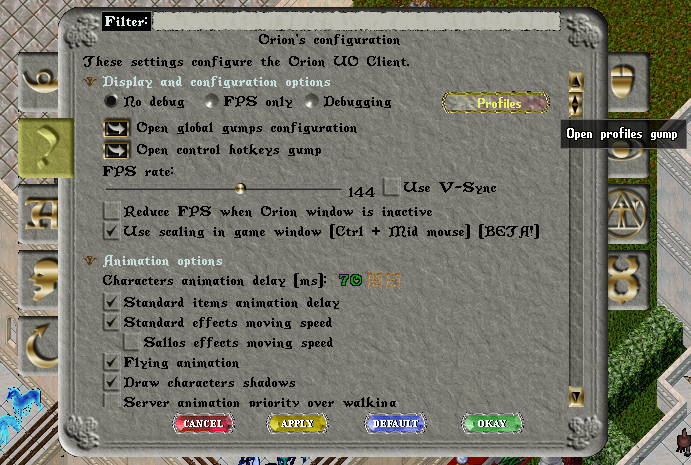
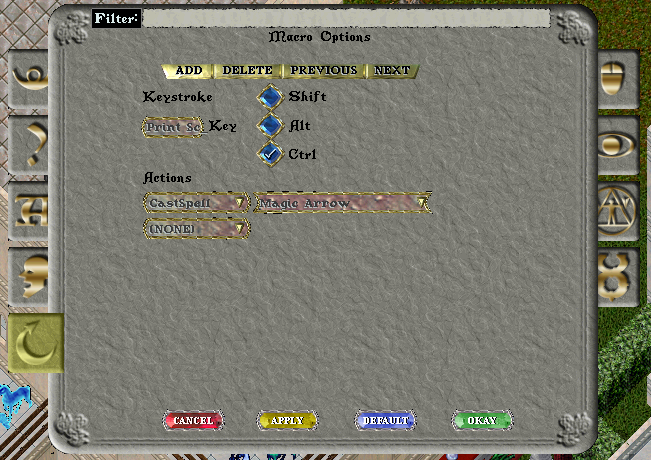
Examples of popular macros are listed below.
Creating Macros Outside the Client
Orion also has a companion window that launches with the client. This window allows you to:
- Configure actions to do exactly what you want
- Create and manage profiles (similar to the in-client method)
- Assign hotkeys
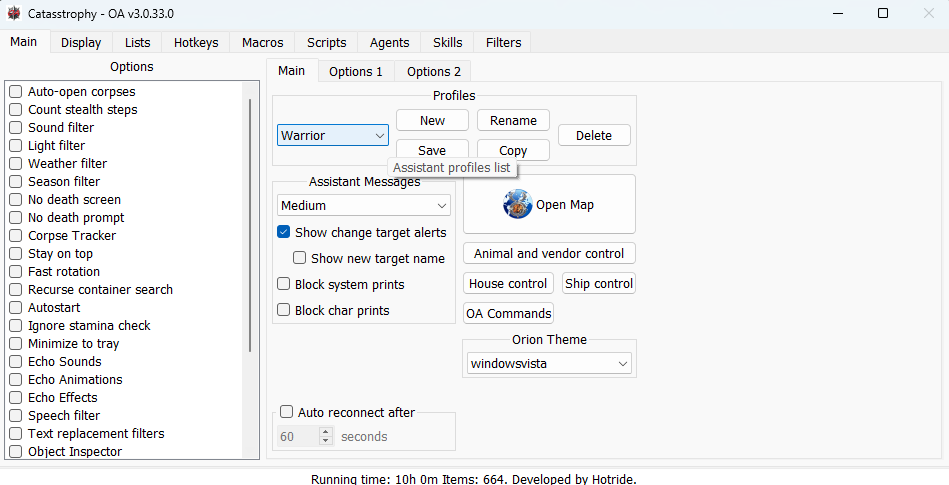
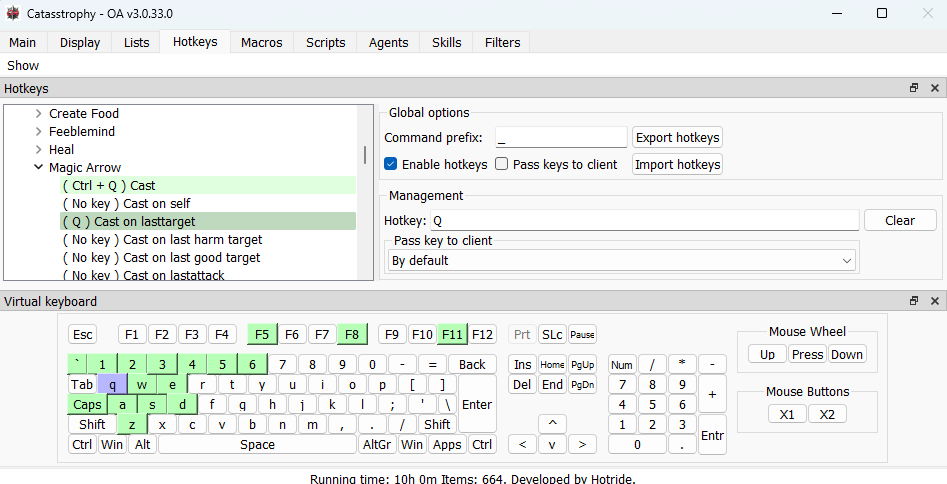
Example Macros
Below are example hotkeys you can use as a baseline. Adjust them freely.
Interface / Utility
- Alt+S — Status Bar
- Alt+B — Spellbook
- Alt+C — War / Peace
- Alt+P — Paperdoll
- Alt+K — Skills
- Alt+J — Journal
- Alt+I — Backpack
- Alt+R — Map
- Alt+O — Options
Emotes / Misc
- Ctrl+B — Bow
- Ctrl+S — Salute
Core PvP / Movement Utility
- 8 — All Names (useful to quickly identify nearby players)
- Alt+A — Open Door (useful for fast movement through buildings)
- Alt+X — Last Object (uses the last object you interacted with; you must use an object once before this works reliably)
- Ctrl+X — Next Target (one of your main targeting hotkeys)
Healing / Consumables
- Alt+Z — Bandage Self
(requires clean bandages in your pack. Note: on some Orion setups this can break if certain targeting/UI settings are disabled.)
Potions (examples)
- Alt+1 — Potion 9 (Greater Mana)
- Alt+2 — Potion 5 (Refresh)
- Alt+3 — Potion 12 (Cure)
- Alt+4 — Potion 13 (Greater Cure)
Combat
- Alt+D — Arm/Disarm Left Hand
(useful for swapping a shield/weapon from your backpack. Typically works best if you’ve equipped the item at least once before.) - Alt+F — Attack Last
(main attack hotkey: first select a target, then use Attack Last.)
Visibility / Client Helpers
- Alt+Q — Circle Transparency (see objects behind walls)
- Alt+Shift — Show All Objects (shows all objects in your view)
Training
- Alt+W — Say
.skillrolls(use while training to confirm gains/rolls) - F7 — Hiding
- F8 — Meditation
Spells (PvP-focused, also useful for PvM)
Offensive (Last Target)
- F1 — Magic Arrow → Last Target
- F2 — Lightning → Last Target
- F3 — Poison → Last Target
- F4 — Harm → Last Target
- F5 — Flame Strike → Last Target
- F6 — Paralyze → Last Target
- F10 — Dispel → Last Target
Area / Utility
- Alt+F3 — Earthquake
- Alt+F4 — Mass Dispel
- F12 — Reveal
Defensive (Self Target)
- F11 — Greater Heal → Self
- Ctrl+A — Cure → Self
- Ctrl+Z — Protection → Self
- Ctrl+C — Magic Reflection → Self
- Ctrl+V — Reactive Armor → Self
- Ctrl+N — Bless → Self
Leave a Reply